

Business Intelligence: Data Analysis and Reporting Techniques
| Start Date | End Date | Venue | Fees (US $) | ||
|---|---|---|---|---|---|
| Business Intelligence: Data Analysis and Reporting Techniques | 04 Oct 2026 | 08 Oct 2026 | Dubai, UAE | $ 3,900 | Register |

Business Intelligence: Data Analysis and Reporting Techniques
| Start Date | End Date | Venue | Fees (US $) | |
|---|---|---|---|---|
| Business Intelligence: Data Analysis and Reporting Techniques | 04 Oct 2026 | 08 Oct 2026 | Dubai, UAE | $ 3,900 |
Introduction
In this day and age, it is no surprise for the corporate staff to be overwhelmed by the abundance of unstructured data. ERPs and databases have evolved to a point where they can house amazingly large amounts of data. The question now is, what do you do with this data to add value? This program will introduce Business Intelligence (BI), hands-on, to allow you to clean, normalize, and interpret large volumes of data. You will be able to establish historical relationships, analyze the current situation, and predict future strategies. The application of BI is borderless, covering operational, tactical, and strategic business decisions. It spans all departments and cascades down to all users who perform data cleansing, reporting, analysis, modeling, integration, and automation. In this course, we use MS Excel exclusively as an ultimate and readily available BI tool allowing you to develop an exclusive level of expertise and add immediate value to your job and company.
Objectives
- Boost Excel Business Intelligence (BI) expertise in data slicing and dicing, data massaging, and data aggregation and modeling
- Perform data normalization, consolidation, report writing, analysis, and reconciliation
- Develop dynamic BI models, dashboards, scorecards, and flash management reports by linking-up Excel with Access, Web, Text, Internet, SQL, ERPs, and other databases
- Advance and enhance the look and feel of reports using dynamic visualization techniques
- Acquire numerous tips and tricks that enable them to work efficiently
- Develop analytic workflows that reflect calculating correct and meaningful report values
- Define the drill down taxonomy used by managers and staff to display data from a data warehouse
- Demonstrate how to simplify, consolidate the different views of an organization’s data
- Define a technology architecture perspective suitable for managing the data of Business Intelligence
- Organize a metadata library for reference and reuse of data definitions material
- Develop a deployment action plan to implement a Business Intelligence solution
By the end of the course, participants will be able to:
Training Methodology
This is an interactive course. There will be open question and answer sessions, regular group exercises and activities, videos, case studies, and presentations on best practices. Participants will have the opportunity to share with the facilitator and other participants on what works well and not so well for them, as well as work on issues from their own organizations. The online course is conducted online using MS-Teams/ClickMeeting.
Who Should Attend?
Business professionals, business analysts, data analysts, research analysts, finance professionals, marketing and sales professionals, HR professionals, IT professionals, administrative staff, supervisors, general business professionals, and staff from any function who need to learn and apply state-of-the-art data analysis techniques to their daily business reporting and decision making.
Target Competencies
- Massaging and normalizing data
- Reporting, analysis, and reconciliation
- Interpretation of large data sets
- Modeling and 'what-if' scenarios
- Establishing data integration
- Developing dynamic dashboards and scorecards
- Designing key performance indicators
Course Outline
Day 1: Data Analysis Tools and Techniques
- Consolidating data from separate files and sheets
- Advanced data validation using lists, dates and custom validation
- Powerful array functions
- Cell management tools: left, right, mid, concatenate, value
- Naming, editing, and managing cells and ranges
- Subtotal, sumif, sumifs, sumproduct, count, countif, countifs
- Looking-up data, texts, and values using vlookup
- The incredible table-tools technique
- Slicing dates into day names, weeks, week numbers, month names, years and quarters
- Text-to-columns and dynamic trimming using trim and len
- Managing texts and numbers using replace, find, and substitute
- Text change functions
Day 2: Mastering Data Reporting: The 20 Must Learn Pivot-Tables Tools
- Creating pivot tables
- Number formatting techniques
- Designing report layout
- Sorting in ascending, descending and more sort options
- Filtering labels and values
- Expanding and collapsing reports
- Drill down option
- Summarize values by sum, average, minimum, maximum, count
- Show values as % of total and % of
- Pivot table options
- Inserting formulas
- Date analysis
- Copying pivot tables
- Creating pivot charts
- Dynamic chart labelling
- Mastering the slicer
- Showing report filter pages
- Linking pivot tables and pivot graphs with PowerPoint
- Conditional formatting with pivot tables
- Designing reports using the get pivot data
Day 3: Data Modelling and Integration
- Spinner
- Check box data modelling with if function
- Option button data modeling with if function
- List box data modeling with choose function
- Scenario manager
- Linking Excel with text files
- Linking Excel with databases (Access)
- Linking Excel with SQL
- Linking Excel with internet
- Linking Excel with Excel
Day 4: The Look And Feel: Charting and Visualization Techniques
- Using the camera tool
- Working with formula-driven visualizations
- Using fancy fonts
- Leveraging symbols in formulas
- Working with sparklines
- Creating unconventional style charts
Day 5: Tips and Tricks
- Controlling and protecting your reports, worksheets, and workbooks
- Data entry form
- Custom list
- Text-to-speech
- Advanced conditional formatting
- Shortcuts for your daily work
Accreditation






Related Courses
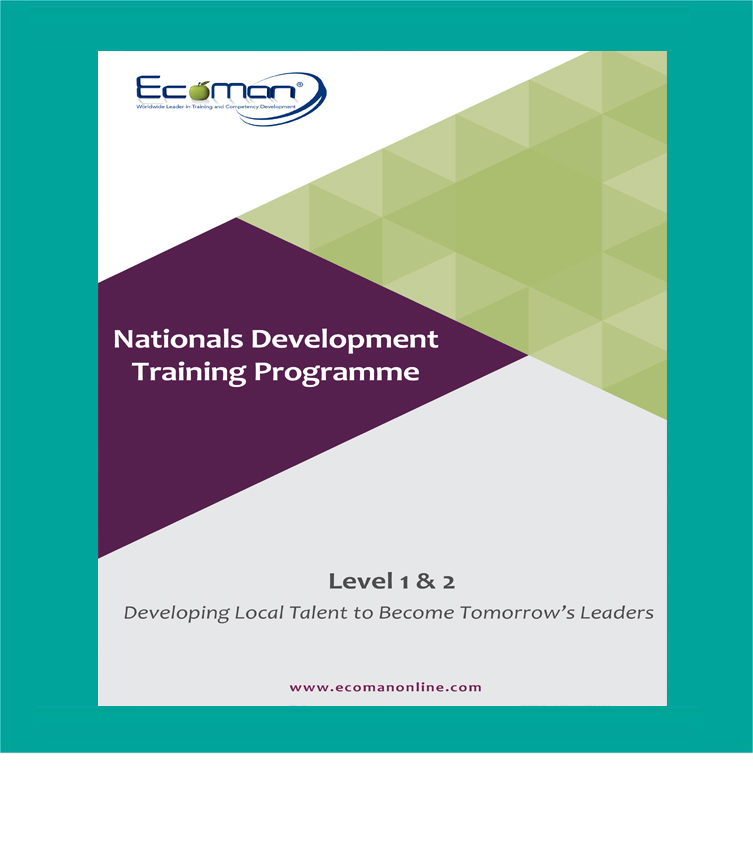
Nationals Development Training Program

2026 Training Calendar (Excel)

Laboratory Systems ISO17025 Consulting

Competency Frameworks Consulting

Talent & Succession Planning Solutions

Employee Assessment & Development Plans

Hotline: +9712 -6911888
info@ecoman-uae.com
Send to Colleague
Hotline: +9712 -6911888
info@ecoman-uae.com